


Connect Google Forms to Stripe.
Accept Stripe payments directly from your Google Forms forms — no coding, no hassle. Install Payable Forms and connect your Stripe account in minutes.



Why use Stripe with Google Forms?
Stripe is a powerful payment platform trusted by businesses of all sizes, offering seamless card processing and modern payment methods.
Google Forms is the easiest way to collect information from your audience. With the Payable add-on, you can also collect payments directly from any form — no coding required.
How your customers can pay
-
 Apple Pay
-
 Google Pay
- Credit Card
Google Forms + Stripe
How to connect Google Forms to Stripe
-
 1
1
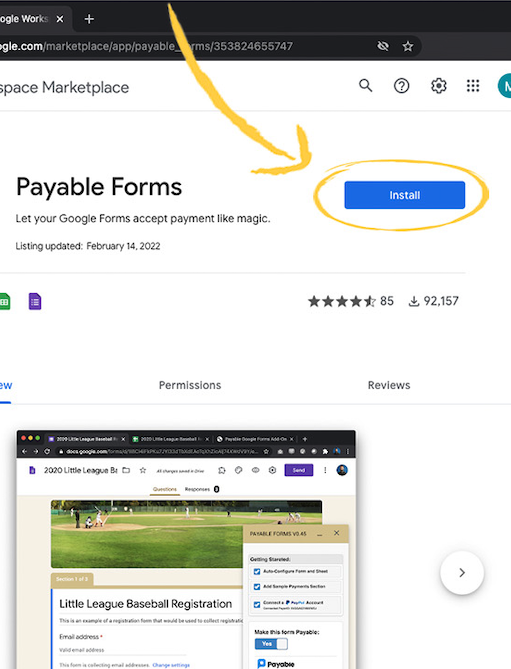
Install the Payable Forms add-on
Add Payable Forms to Google Forms from the Google Workspace Marketplace — it only takes a moment.
-
 2
2
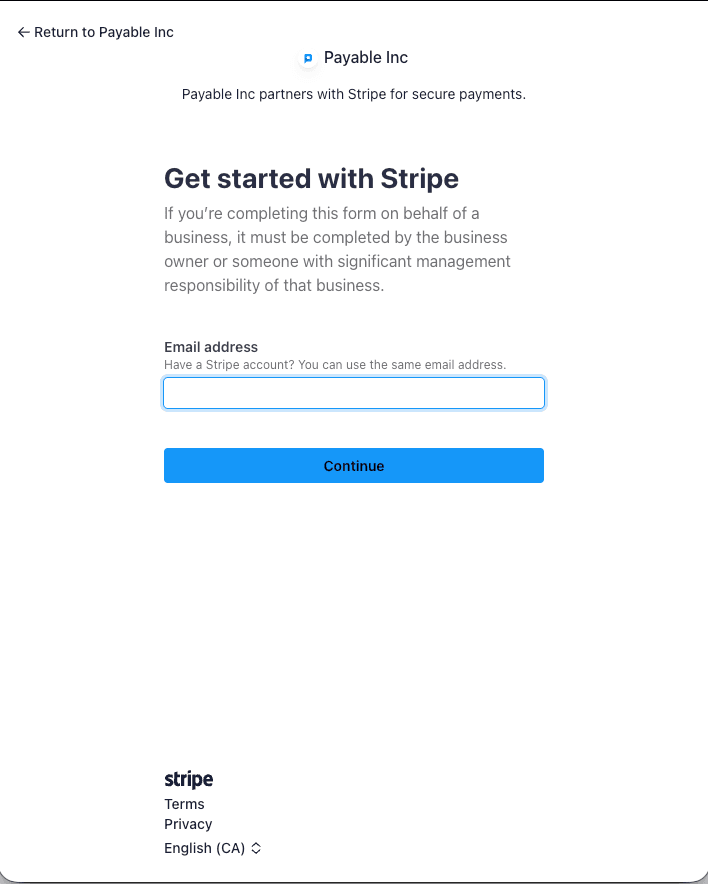
Connect your Stripe account
Sign in to Stripe from inside the add-on to link your account — no API keys or developer skills required.
-
 3
3
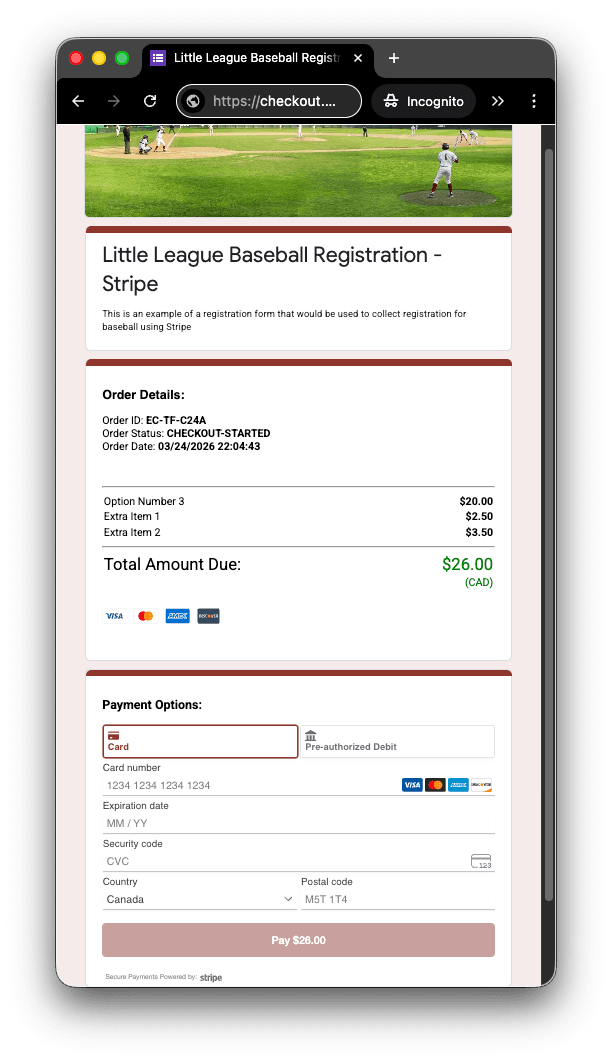
Start collecting payments
Your forms send payers to a secure, hosted checkout powered by Stripe.
-
 4
4
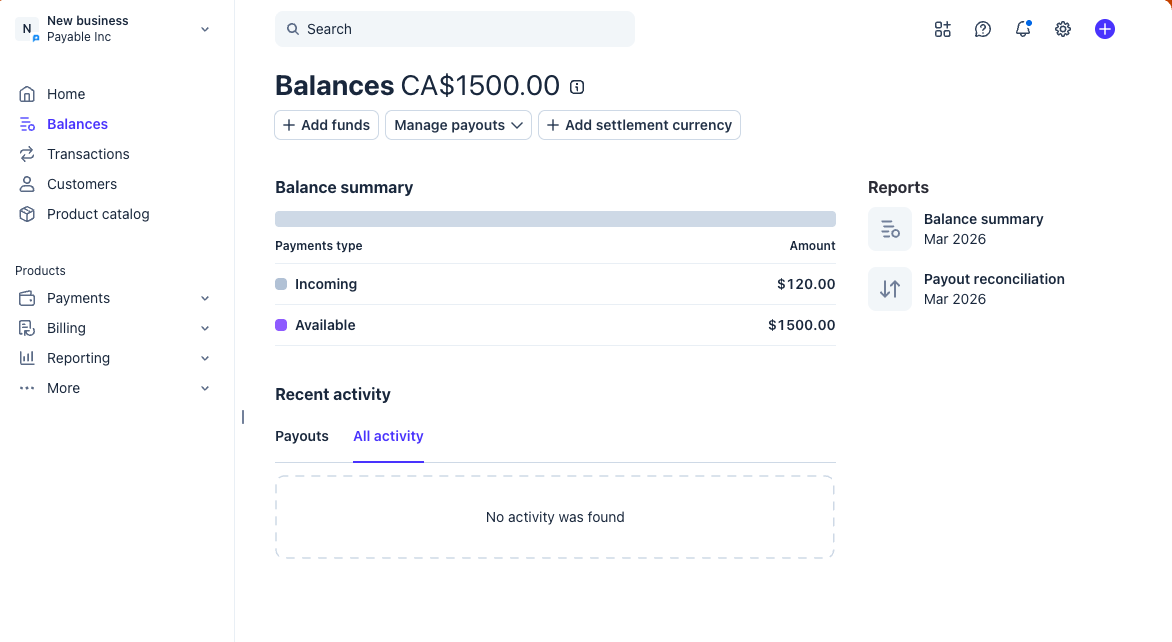
Get paid into Stripe
Payments go straight into your Stripe account, and you can see them in your Stripe dashboard.
Where it works
Stripe countries and currencies
Stripe is available in United States 🇺🇸 and supports the currencies below.
Supported countries 45
- AEUnited Arab Emirates
- ATAustria
- AUAustralia
- BEBelgium
- BGBulgaria
- BRBrazil
- CACanada
- CHSwitzerland
- CYCyprus
- CZCzechia
- DEGermany
- DKDenmark
- EEEstonia
- ESSpain
- FIFinland
- FRFrance
- GBUnited Kingdom
- GIGibraltar
- GRGreece
- HKHong Kong
- HRCroatia
- HUHungary
- IEIreland
- INIndia
- ITItaly
- JPJapan
- LILiechtenstein
- LTLithuania
- LULuxembourg
- LVLatvia
- MTMalta
- MXMexico
- MYMalaysia
- NLNetherlands
- NONorway
- NZNew Zealand
- PLPoland
- PTPortugal
- RORomania
- SESweden
- SGSingapore
- SISlovenia
- SKSlovakia
- THThailand
- USUnited States of America
Supported currencies 139
- AEDUnited Arab Emirates Dirham
- AFNAfghan Afghani
- ALLAlbanian Lek
- AMDArmenian Dram
- ANGNetherlands Antillean Guilder
- AOAAngolan Kwanza
- ARSArgentine Peso
- AUDAustralia Dollars
- AWGAruban Florin
- AZNAzerbaijani Manat
- BAMBosnia and Herzegovina Convertible Mark
- BBDBarbadian Dollar
- BDTBangladeshi Taka
- BGNBulgarian Lev
- BHDBahraini Dinar
- BIFBurundian Franc
- BMDBermudian Dollar
- BNDBrunei Dollar
- BOBBolivian Boliviano
- BRLBrazil Reais
- BSDBahamian Dollar
- BWPBotswana Pula
- BYNBelarusian Ruble
- BZDBelize Dollar
- CADCanada Dollars
- CDFCongolese Franc
- CHFSwiss Franc
- CLPChilean Peso
- CNYChinese Renmenbi
- COPColombian Peso
- CRCCosta Rican Colón
- CVECape Verdean Escudo
- CZKCzech koruna
- DJFDjiboutian Franc
- DKKDenmark Kroner
- DOPDominican Peso
- DZDAlgerian Dinar
- EGPEgyptian Pound
- ETBEthiopian Birr
- EUREuro
- FJDFijian Dollar
- FKPFalkland Islands Pound
- GBPUK Pounds
- GELGeorgian Lari
- GIPGibraltar Pound
- GMDGambian Dalasi
- GNFGuinean Franc
- GTQGuatemalan Quetzal
- GYDGuyanese Dollar
- HKDHong Kong Dollars
- HNLHonduran Lempira
- HTGHaitian Gourde
- HUFHungarian Forint
- INRIndian Rupee
- IDRIndonesian Rupiah
- ILSIsrael New Shekels
- ISKIcelandic Króna
- JMDJamaican Dollar
- JODJordanian Dinar
- JPYJapan Yen
- KESKenyan Shilling
- KGSKyrgyzstani Som
- KHRCambodian Riel
- KMFComorian Franc
- KRWSouth Korean won
- KWDKuwaiti Dinar
- KYDCayman Islands Dollar
- KZTKazakhstani Tenge
- LAKLao Kip
- LBPLebanese Pound
- LKRSri Lankan Rupee
- LRDLiberian Dollar
- LSLLesotho Loti
- MADMoroccan Dirham
- MDLMoldovan Leu
- MGAMalagasy Ariary
- MKDMacedonian Denar
- MMKMyanmar Kyat
- MNTMongolian Tögrög
- MOPMacanese Pataca
- MURMauritian Rupee
- MVRMaldivian Rufiyaa
- MWKMalawian Kwacha
- MXNMexico Pesos
- MYRMalaysian Ringgit
- MZNMozambican Metical
- NADNamibian Dollar
- NGNNigerian Naira
- NIONicaraguan Córdoba
- NOKNorwegian Krone
- NPRNepalese Rupee
- NZDNew Zealand Dollars
- OMROmani Rial
- PABPanamanian Balboa
- PENPeruvian sol
- PHPPhilippines Pesos
- PGKPapua New Guinean Kina
- PKRPakistani rupee
- PLNPolish Zloty
- PYGParaguayan Guaraní
- QARQatari Riyal
- RONRomanian leu
- RSDSerbian Dinar
- RUBRussian Ruble
- RWFRwandan Franc
- SARSaudi Riyal
- SBDSolomon Islands Dollar
- SCRSeychellois Rupee
- SEKSweden Kronor
- SGDSingapore Dollars
- SHPSaint Helena Pound
- SLESierra Leonean Leone
- SOSSomali Shilling
- SRDSurinamese Dollar
- STDSão Tomé and Príncipe Dobra
- SZLEswatini Lilangeni
- THBThailand Baht
- TJSTajikistani Somoni
- TNDTunisian Dinar
- TOPTongan Paʻanga
- TRYTurkish lira
- TTDTrinidad and Tobago Dollar
- TWDTaiwan New Dollars
- TZSTanzanian Shilling
- UAHUkrainian Hryvnia
- UGXUgandan Shilling
- USDUS Dollars
- UYUUruguayan Peso
- UZSUzbekistani Soʻm
- VNDVietnamese dong
- VUVVanuatu Vatu
- WSTSamoan Tala
- XAFCentral African CFA Franc
- XCDEast Caribbean Dollar
- XOFWest African CFA Franc
- XPFCFP Franc
- YERYemeni Rial
- ZARSouth African Rand
- ZMWZambian Kwacha
FAQ
Google Forms + Stripe questions
Can I accept Stripe payments in Google Forms?
Yes. Install the Payable Forms add-on, connect your Stripe account, and your forms will send people to a secure Stripe checkout. The money goes straight into your Stripe account.
Do I need Stripe API keys or a developer?
No. You sign in to Stripe from inside the add-on to connect your account — no API keys and no coding.
How can my customers pay with Stripe?
Through Stripe, your customers can pay with Apple Pay, Google Pay and Credit Card, depending on their country and device.
Which countries and currencies does Stripe support?
Through Payable, Stripe is available in 45 countries and supports 139 currencies. See the full lists on this page.
Can I take subscriptions or instalments with Stripe?
Yes. Add a frequency after a price in your form — for example "$35 / Week" — or a limit like "$295 / Month X 3" for instalments. See how to set them up.
Is there a subscription or contract?
No. There is no subscription or commitment with Payable — you only pay a small fee when you get paid. See our pricing page for details. Stripe also charges its own standard processing fees.
More options
Other payment providers for Google Forms




Start accepting Stripe payments in Google Forms.
No subscription and no code. Set up in about 5 minutes.