

Connect Google Forms to PayPal.
Accept PayPal payments directly from your Google Forms forms — no coding, no hassle. Install Payable Forms and connect your PayPal account in minutes.


Why use PayPal with Google Forms?
PayPal is one of the world's most trusted payment platforms, accepted by millions of businesses and shoppers worldwide.
Google Forms is the easiest way to collect information from your audience. With the Payable add-on, you can also collect payments directly from any form — no coding required.
How your customers can pay
-
 PayPal
-
 Venmo
Venmo
-
 Apple Pay
-
 Google Pay
- Credit Card
Google Forms + PayPal
How to connect Google Forms to PayPal
-
 1
1
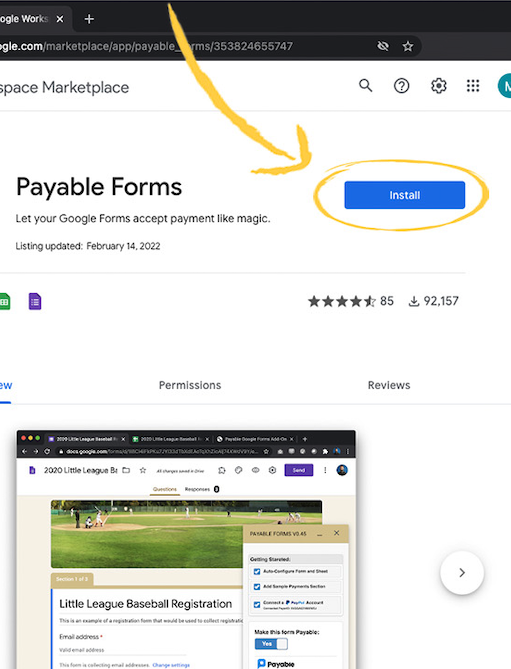
Install the Payable Forms add-on
Add Payable Forms to Google Forms from the Google Workspace Marketplace — it only takes a moment.
-
 2
2
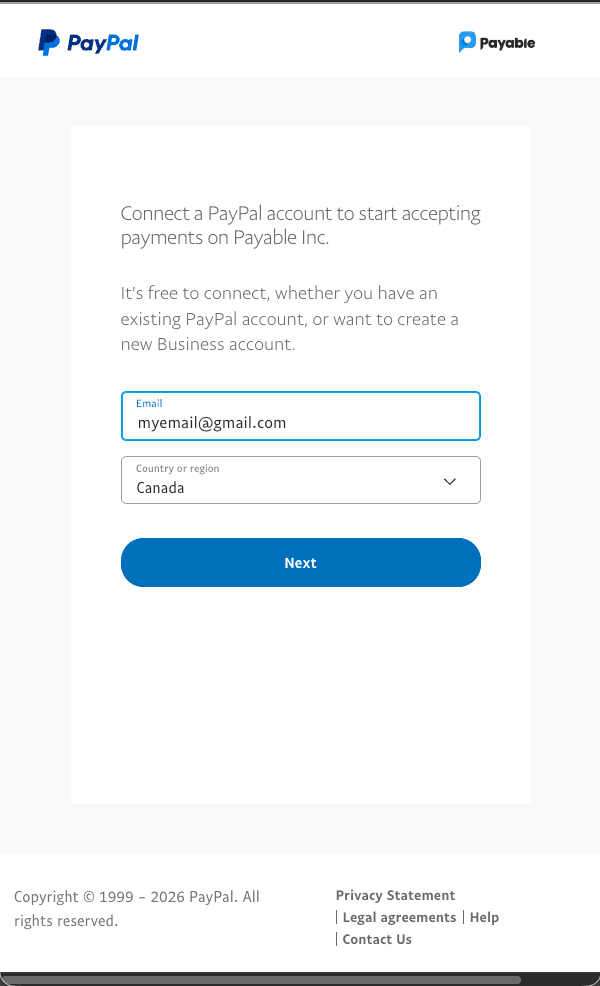
Connect your PayPal account
Sign in to PayPal from inside the add-on to link your account — no API keys or developer skills required.
-
 3
3
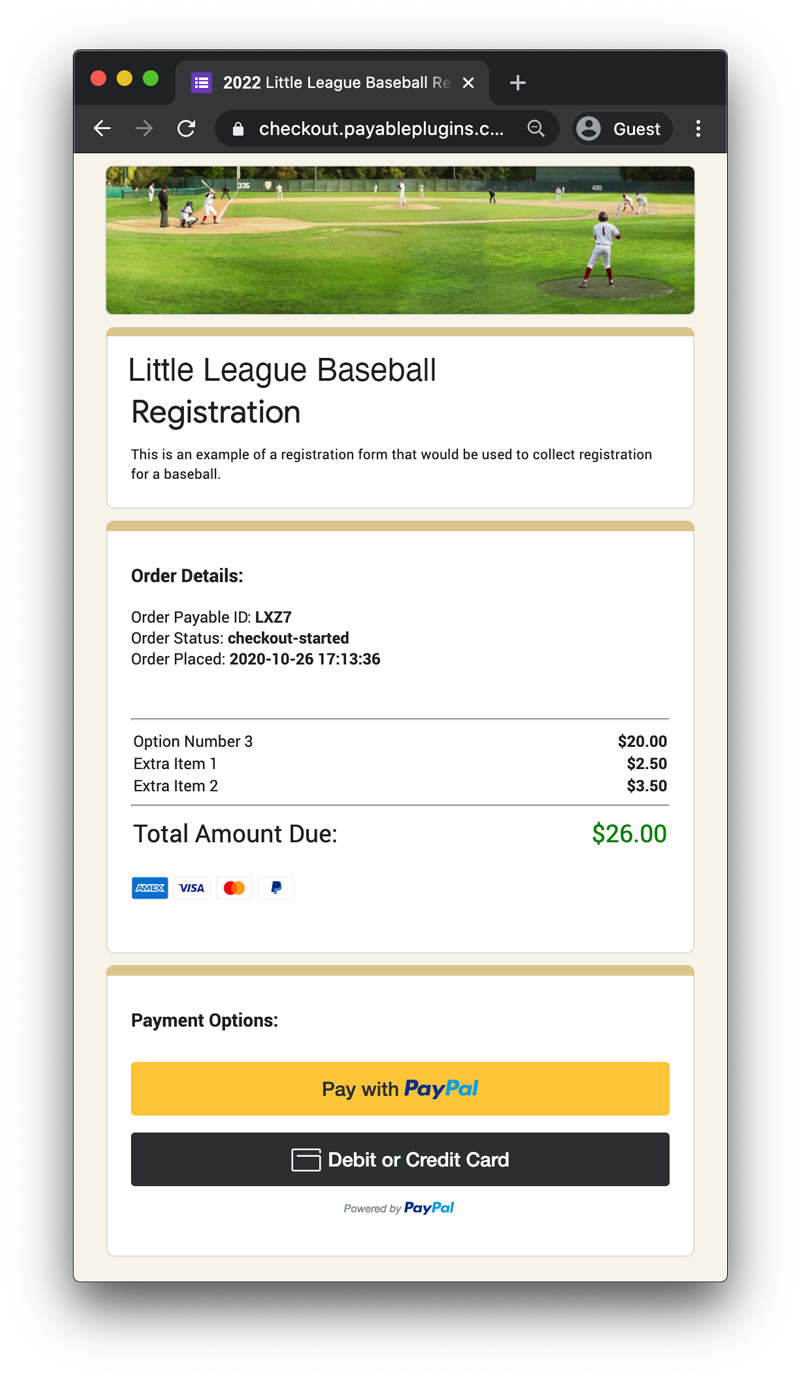
Start collecting payments
Your forms send payers to a secure, hosted checkout powered by PayPal.
-
 4
4
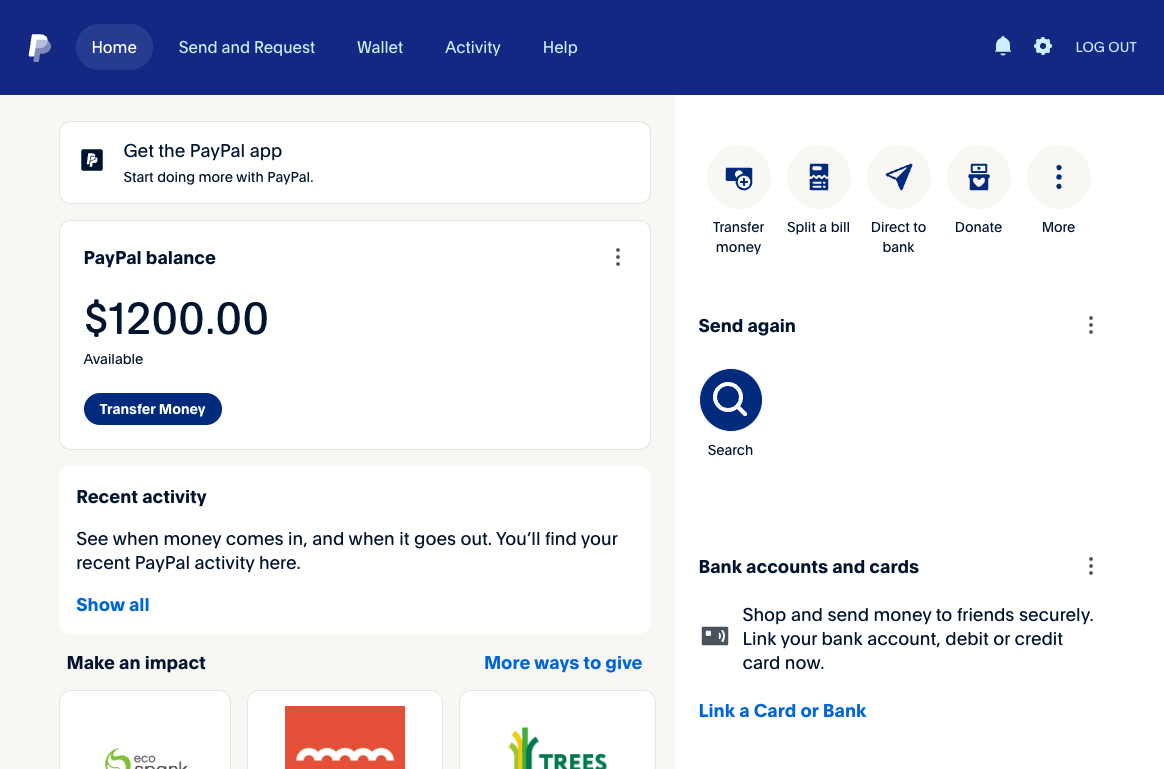
Get paid into PayPal
Payments go straight into your PayPal account, and you can see them in your PayPal dashboard.
Where it works
PayPal countries and currencies
PayPal is available in United States 🇺🇸 and supports the currencies below.
Supported countries 119
- ADAndorra
- AEUnited Arab Emirates
- ALAlbania
- AOAntigua and Barbuda
- ARArgentina
- ATAustria
- AUAustralia
- BABosnia and Herzegovina
- BBBarbados
- BEBelgium
- BGBulgaria
- BHBahrain
- BMBermuda
- BRBrazil
- BSBahamas
- BWBotswana
- BZBelize
- CACanada
- CHSwitzerland
- CLChile
- CNChina
- COColombia
- CRCosta Rica
- CYCyprus
- CZCzechia
- DEGermany
- DKDenmark
- DMDominica
- DODominican Republic
- DZAlgeria
- ECEcuador
- EEEstonia
- EGEgypt
- ESSpain
- FIFinland
- FJFiji
- FOFaroe Islands
- FRFrance
- GBUnited Kingdom
- GDGrenada
- GEGeorgia
- GFFrench Guiana
- GIGibraltar
- GLGreenland
- GPGuadeloupe
- GRGreece
- GTGuatemala
- HKHong Kong
- HNHonduras
- HRCroatia
- HUHungary
- IDIndonesia
- IEIreland
- ILIsrael
- INIndia
- ISIceland
- ITItaly
- JMJamaica
- JOJordan
- JPJapan
- KEKenya
- KNSaint Kitts and Nevis
- KRSouth Korea
- KWKuwait
- KYCayman Islands
- KZKazakhstan
- LCSaint Lucia
- LILiechtenstein
- LSLesotho
- LTLithuania
- LULuxembourg
- LVLatvia
- MAMorocco
- MCMonaco
- MDMoldova
- MQMartinique
- MTMalta
- MUMauritius
- MWMalawi
- MXMexico
- MYMalaysia
- MZMozambique
- NCNew Caledonia
- NINicaragua
- NLNetherlands
- NONorway
- NZNew Zealand
- OMOman
- PAPanama
- PEPeru
- PFFrench Polynesia
- PHPhilippines
- PLPoland
- PTPortugal
- PWPalau
- QAQatar
- RERéunion
- RORomania
- RSSerbia
- RURussian Federation
- SASaudi Arabia
- SCSeychelles
- SESweden
- SGSingapore
- SISlovenia
- SKSlovakia
- SMSan Marino
- SNSenegal
- SVEl Salvador
- SZEswatini
- TCTurks and Caicos Islands
- THThailand
- TTTrinidad and Tobago
- TWTaiwan
- USUnited States of America
- UYUruguay
- VEVenezuela
- VNVietnam
- ZASouth Africa
Supported currencies 24
- AUDAustralia Dollars
- BRLBrazil Reais
- CADCanada Dollars
- CHFSwiss Franc
- CNYChinese Renmenbi
- CZKCzech koruna
- DKKDenmark Kroner
- EUREuro
- GBPUK Pounds
- HKDHong Kong Dollars
- HUFHungarian Forint
- ILSIsrael New Shekels
- JPYJapan Yen
- MXNMexico Pesos
- MYRMalaysian Ringgit
- NOKNorwegian Krone
- NZDNew Zealand Dollars
- PHPPhilippines Pesos
- PLNPolish Zloty
- SEKSweden Kronor
- SGDSingapore Dollars
- THBThailand Baht
- TWDTaiwan New Dollars
- USDUS Dollars
FAQ
Google Forms + PayPal questions
Can I accept PayPal payments in Google Forms?
Yes. Install the Payable Forms add-on, connect your PayPal account, and your forms will send people to a secure PayPal checkout. The money goes straight into your PayPal account.
Do I need PayPal API keys or a developer?
No. You sign in to PayPal from inside the add-on to connect your account — no API keys and no coding.
How can my customers pay with PayPal?
Through PayPal, your customers can pay with PayPal, Venmo, Apple Pay, Google Pay and Credit Card, depending on their country and device.
Which countries and currencies does PayPal support?
Through Payable, PayPal is available in 119 countries and supports 24 currencies. See the full lists on this page.
Can I take subscriptions or instalments with PayPal?
Yes. Add a frequency after a price in your form — for example "$35 / Week" — or a limit like "$295 / Month X 3" for instalments. PayPal subscriptions need a PayPal Business account. See how to set them up.
Is there a subscription or contract?
No. There is no subscription or commitment with Payable — you only pay a small fee when you get paid. See our pricing page for details. PayPal also charges its own standard processing fees.
More options
Other payment providers for Google Forms



Start accepting PayPal payments in Google Forms.
No subscription and no code. Set up in about 5 minutes.