


Connect Google Forms to Razorpay.
Accept Razorpay payments directly from your Google Forms forms — no coding, no hassle. Install Payable Forms and connect your Razorpay account in minutes.



Why use Razorpay with Google Forms?
Razorpay is India's leading payment gateway, trusted by thousands of businesses to accept payments via UPI, credit/debit cards, net banking, and more.
Google Forms is the easiest way to collect information from your audience. With the Payable add-on, you can also collect payments directly from any form — no coding required.
How your customers can pay
-
 UPI
UPI
- Credit Card
Google Forms + Razorpay
How to connect Google Forms to Razorpay
-
 1
1
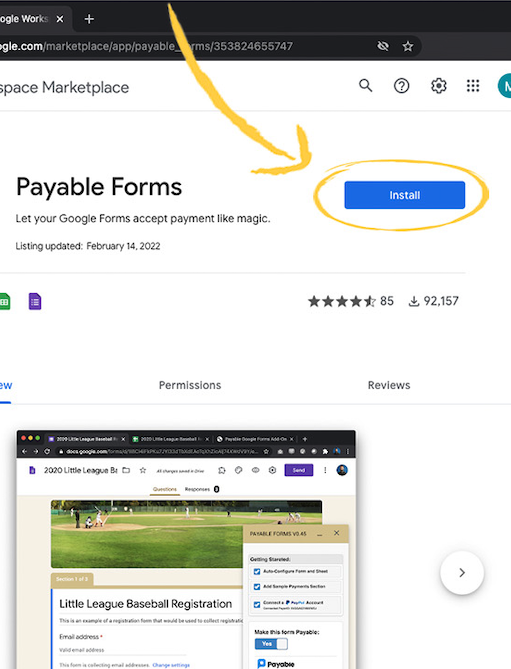
Install the Payable Forms add-on
Add Payable Forms to Google Forms from the Google Workspace Marketplace — it only takes a moment.
-
 2
2
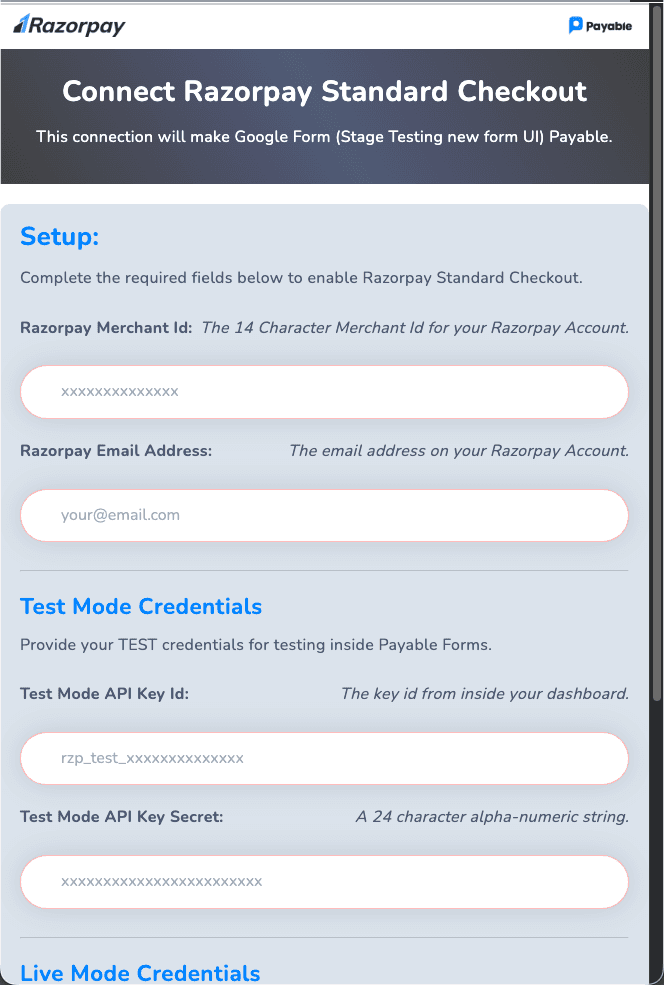
Connect your Razorpay account
Link your Razorpay account inside the add-on using your Razorpay API keys — no developer skills required.
-
 3
3
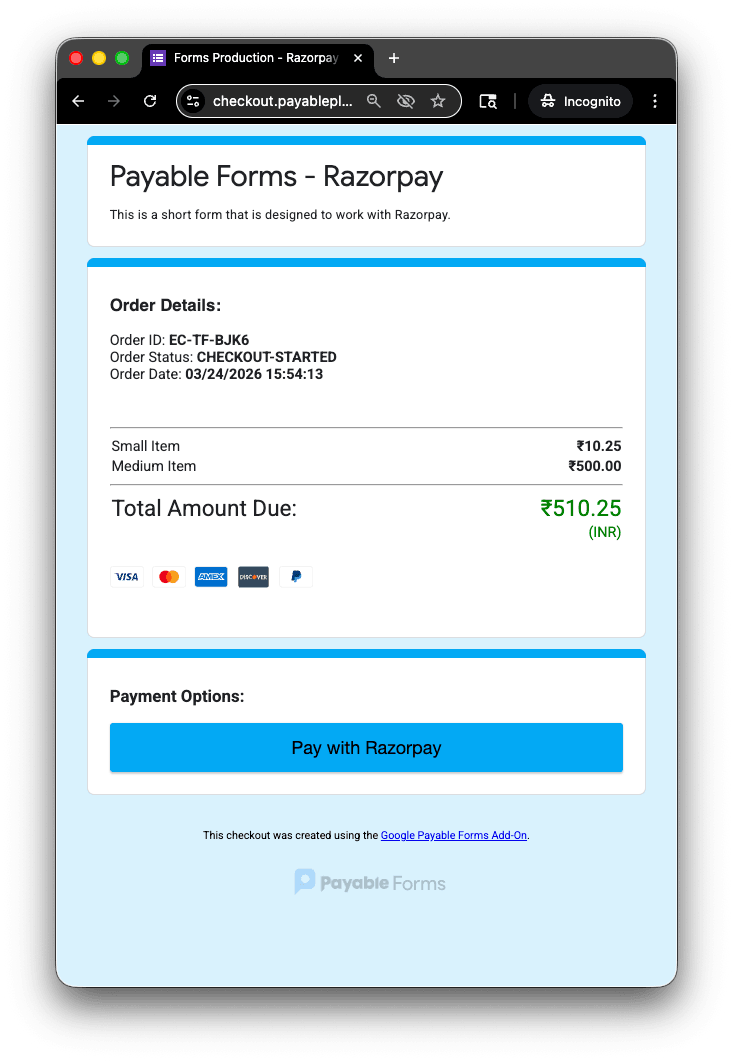
Start collecting payments
Your forms send payers to a secure, hosted checkout powered by Razorpay.
-
 4
4
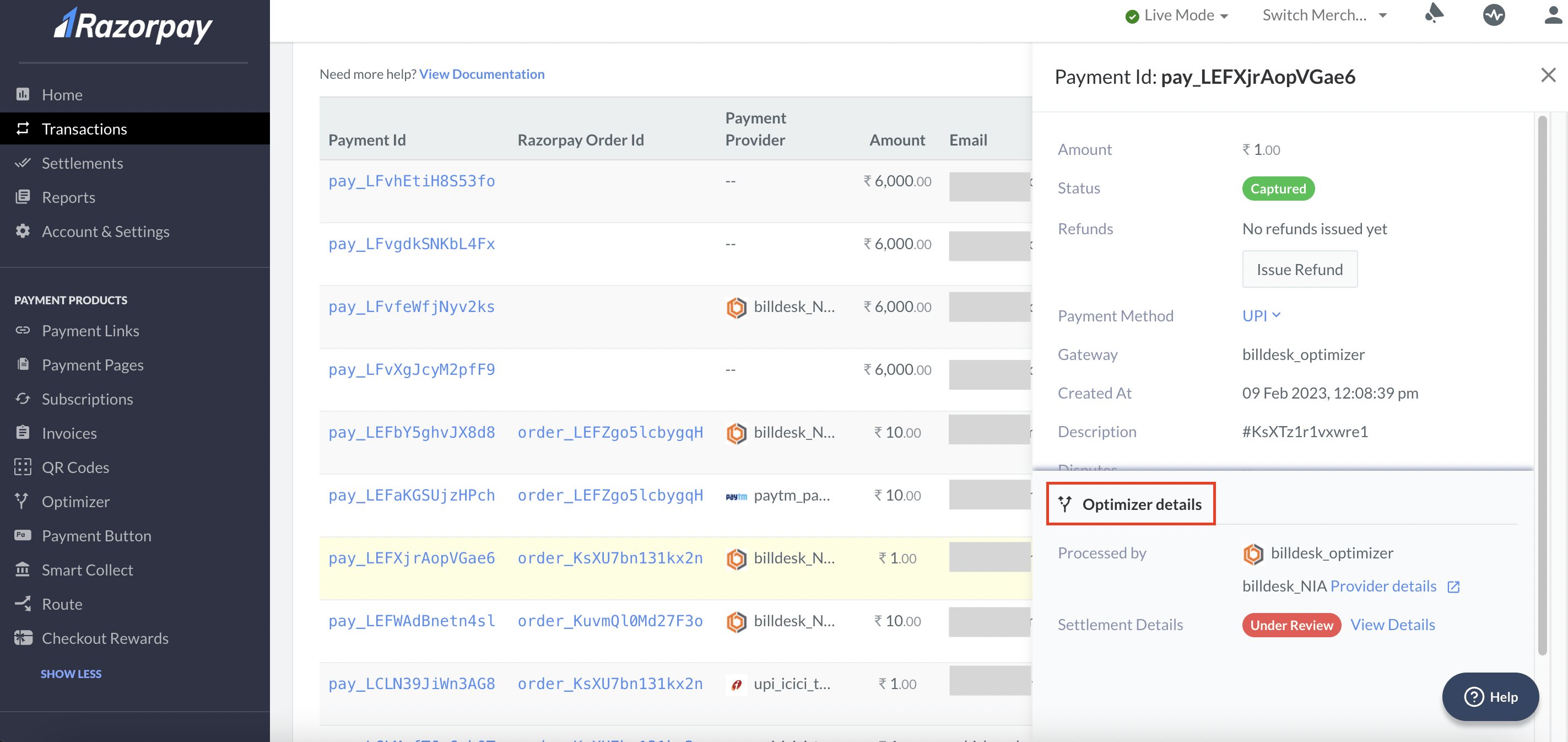
Get paid into Razorpay
Payments go straight into your Razorpay account, and you can see them in your Razorpay dashboard.
Where it works
Razorpay countries and currencies
Here's where you can use Razorpay with Payable Forms, and the currencies you can charge in.
Supported countries 1
- INIndia
Supported currencies 1
- INRIndian Rupee
FAQ
Google Forms + Razorpay questions
Can I accept Razorpay payments in Google Forms?
Yes. Install the Payable Forms add-on, connect your Razorpay account, and your forms will send people to a secure Razorpay checkout. The money goes straight into your Razorpay account.
Do I need Razorpay API keys or a developer?
You'll paste your Razorpay API keys into the add-on during setup, but there's no coding and no developer needed. See the step-by-step guide.
How can my customers pay with Razorpay?
Through Razorpay, your customers can pay with UPI and Credit Card, depending on their country and device.
Which countries and currencies does Razorpay support?
Through Payable, Razorpay is available in 1 country and supports 1 currency. See the full lists on this page.
Can I take subscriptions or instalments with Razorpay?
Not with Razorpay at the moment. Subscriptions and instalments are available with PayPal, Stripe and Square.
Is there a subscription or contract?
No. There is no subscription or commitment with Payable — you only pay a small fee when you get paid. See our pricing page for details. Razorpay also charges its own standard processing fees.
More options
Other payment providers for Google Forms



Start accepting Razorpay payments in Google Forms.
No subscription and no code. Set up in about 5 minutes.