
Services & bookings
Subscription Instalment with End Date Form
Copy this free Subscription Instalment with End Date Form template to your Google Drive, customize it, and collect payments with the Payable Forms add-on.

Template overview
About this template
This is a helpful place to start for setting up a basic form with subscription logic with an end date (subscription that is occurring but ends at set time).
You can setup your question answers with a limit to have the subscription automatically stop after a certain number of cycles. This is great for allowing your customers to pay in instalments for big-ticket items or for subscriptions that will only go on for a shorter period of time, like a seasonal bootcamp.
- Fully customizable — add or remove questions, and change the content, colours and images
- Add prices to the answers and Payable calculates each total automatically
- Every response and payment is tracked in a linked Google Sheet
Use this template in 4 steps
- Copy the templateSave your own copy to Google Drive.
- Make it yoursEdit the questions, prices and look.
- Install Payable FormsThen connect your payment provider.
- Share and get paidSend your form link to collect payments.




More services & bookings templates
Similar templates


Show me how
Make your Google Form payable
Watch how to take a Google Form like this one and start collecting payments with Payable Forms — from installing the add-on to tracking payments in Google Sheets.
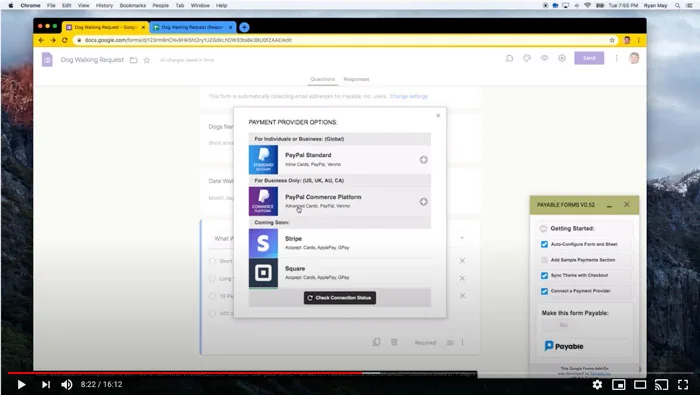
Make this template payable.
No subscription and no code. Set up in about 5 minutes.
